

How Git Works Internally: Building a Mental Model 🧠

Most developers learn Git by memorizing commands like git add and git commit.
But Git becomes much easier once you understand what’s happening under the hood.
In this article, we’ll explore:
What the
.gitfolder really isHow Git stores data internally
Git objects: Blob, Tree, Commit
What actually happens during
git addandgit commitHow Git uses hashes to protect your data
No advanced math, no magic — just clear concepts.
Why Understanding Git Internals Matters
When you understand Git internally:
You stop guessing and start reasoning
Commands make logical sense
Debugging Git issues becomes easier
You rely less on memorization
Think of this as learning how Git thinks.
What Is the .git Folder?
When you run:
git init
Git creates a hidden folder called:
.git/
This folder is the heart of Git.
Important Rule
👉 Your project is not a Git repository because of Git commands —
it’s a repository because the .git folder exists.
Delete .git, and Git forgets everything.
What’s Inside the .git Folder?
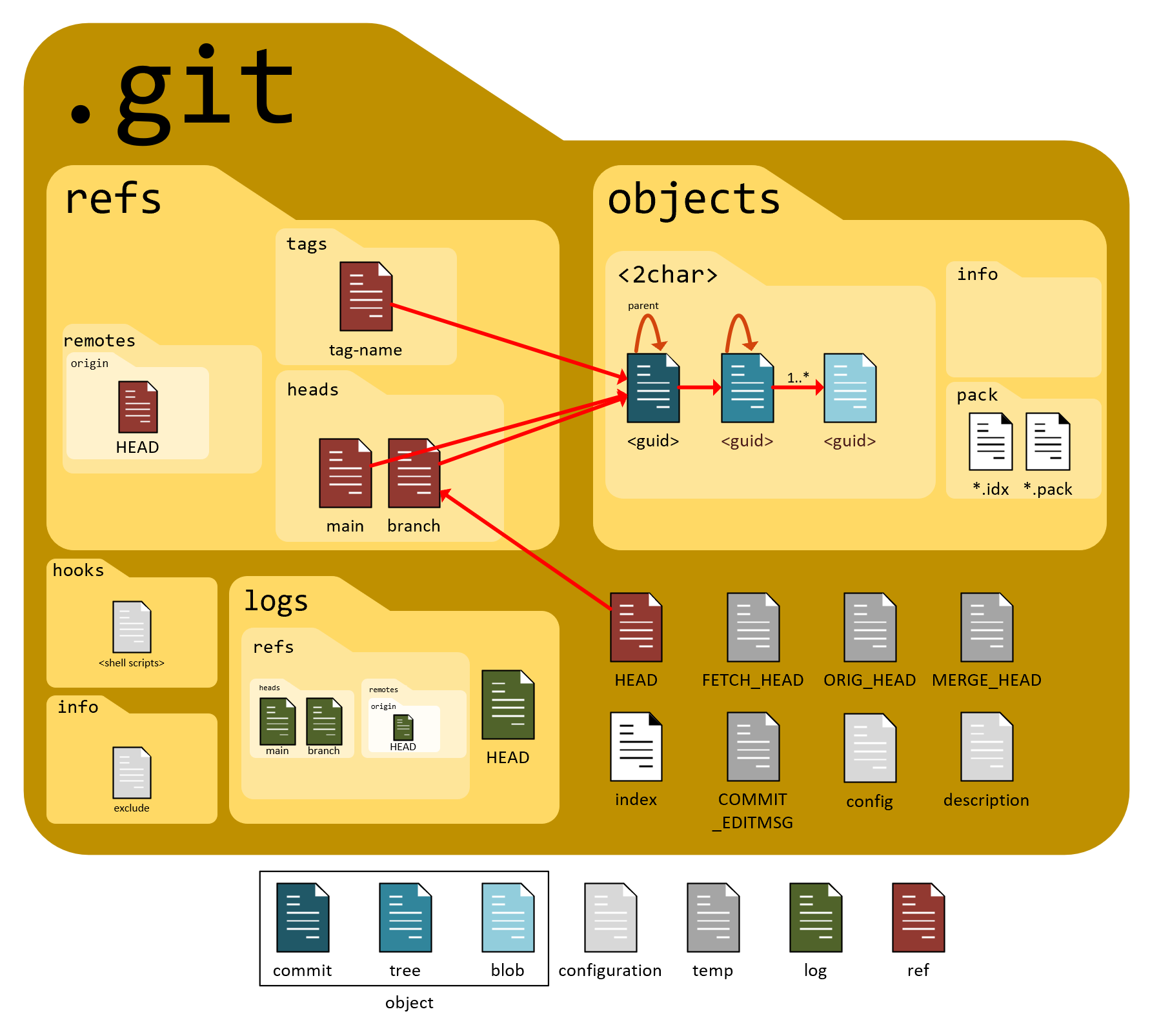
A simplified view:
.git/
├── objects/
├── refs/
├── HEAD
├── index
├── config
Let’s focus on the most important parts.
1. objects/ – Where Git Stores Everything
This is Git’s database.
Every file
Every folder
Every commit
All are stored here as objects.
2. HEAD – Where You Are Right Now
HEAD points to:
The current branch
The latest commit on that branch
Think of it as:
“You are here 📍”
3. index – The Staging Area
The index file represents:
- What will go into the next commit
This is why staging exists.
Git Objects: The Building Blocks 🧱
Git stores data using four object types, but three are core:
Blob
Tree
Commit
Let’s break them down.
1. Blob (File Content)
A blob stores:
File content only
No filename
No directory info
Example:
"Hello Git"
That text becomes a blob object.
💡 If two files have the same content → Git stores only one blob.
2. Tree (Folder Structure)
A tree represents:
A directory
Filenames
File permissions
Links to blobs or other trees
Think of a tree as:
A folder pointing to files and subfolders
3. Commit (Snapshot + Metadata)
A commit stores:
A reference to a tree
Parent commit(s)
Author info
Timestamp
Commit message
A commit does not store files directly.
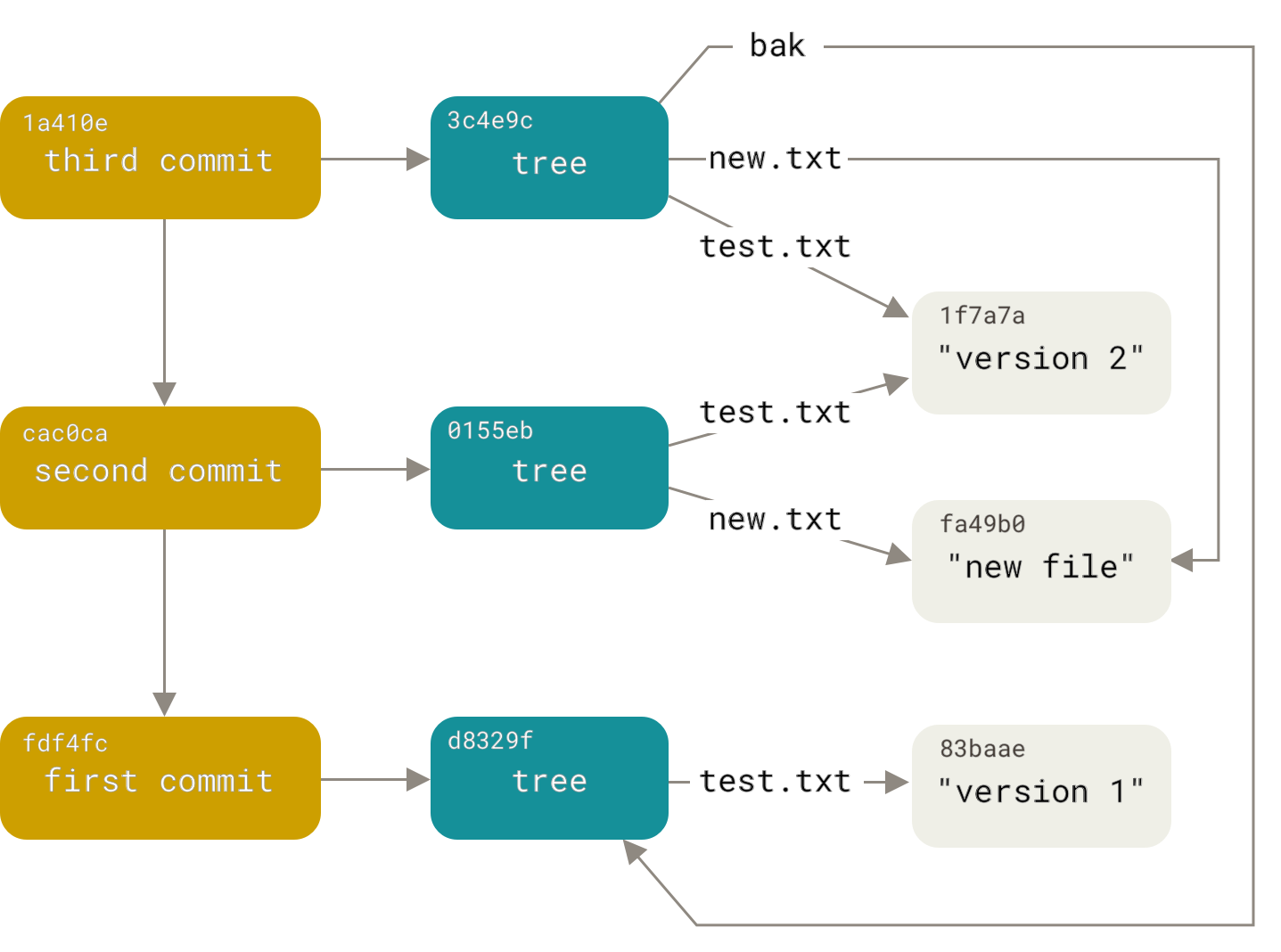
Relationship Between Commit, Tree, and Blob
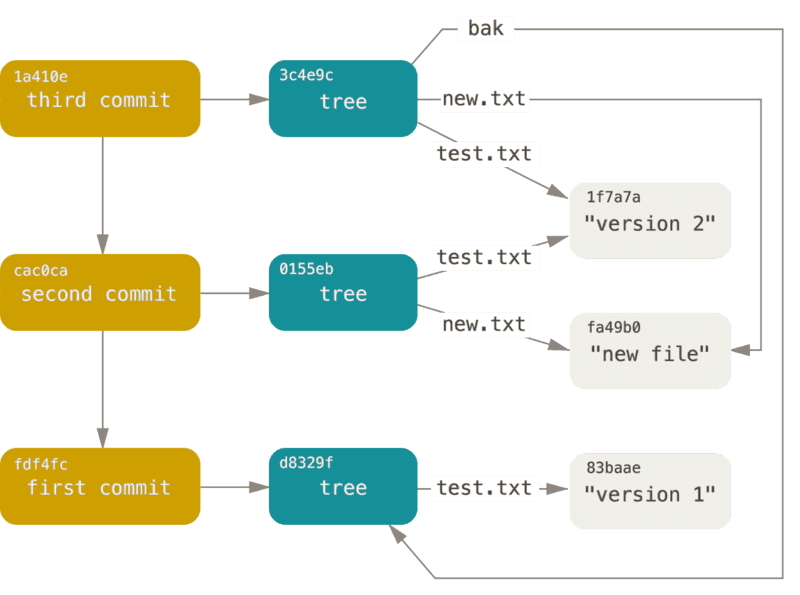
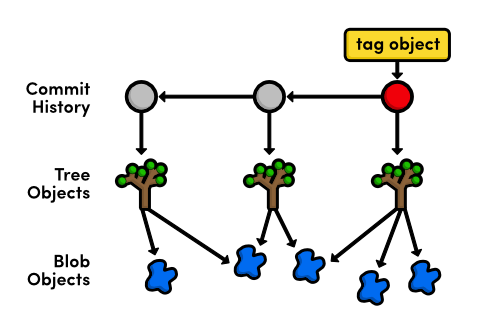
Commit
  ↓
 Tree
  ↓
Blobs (file contents)
This structure makes Git fast, efficient, and reliable.
How Git Tracks Changes (Not Diffs!)
Here’s a key idea:
🚫 Git does not primarily store diffs
✅ Git stores snapshots
Each commit:
Points to a full snapshot of the project
Reuses unchanged objects from previous commits
That’s why Git is fast and space-efficient.
What Happens Internally During git add?
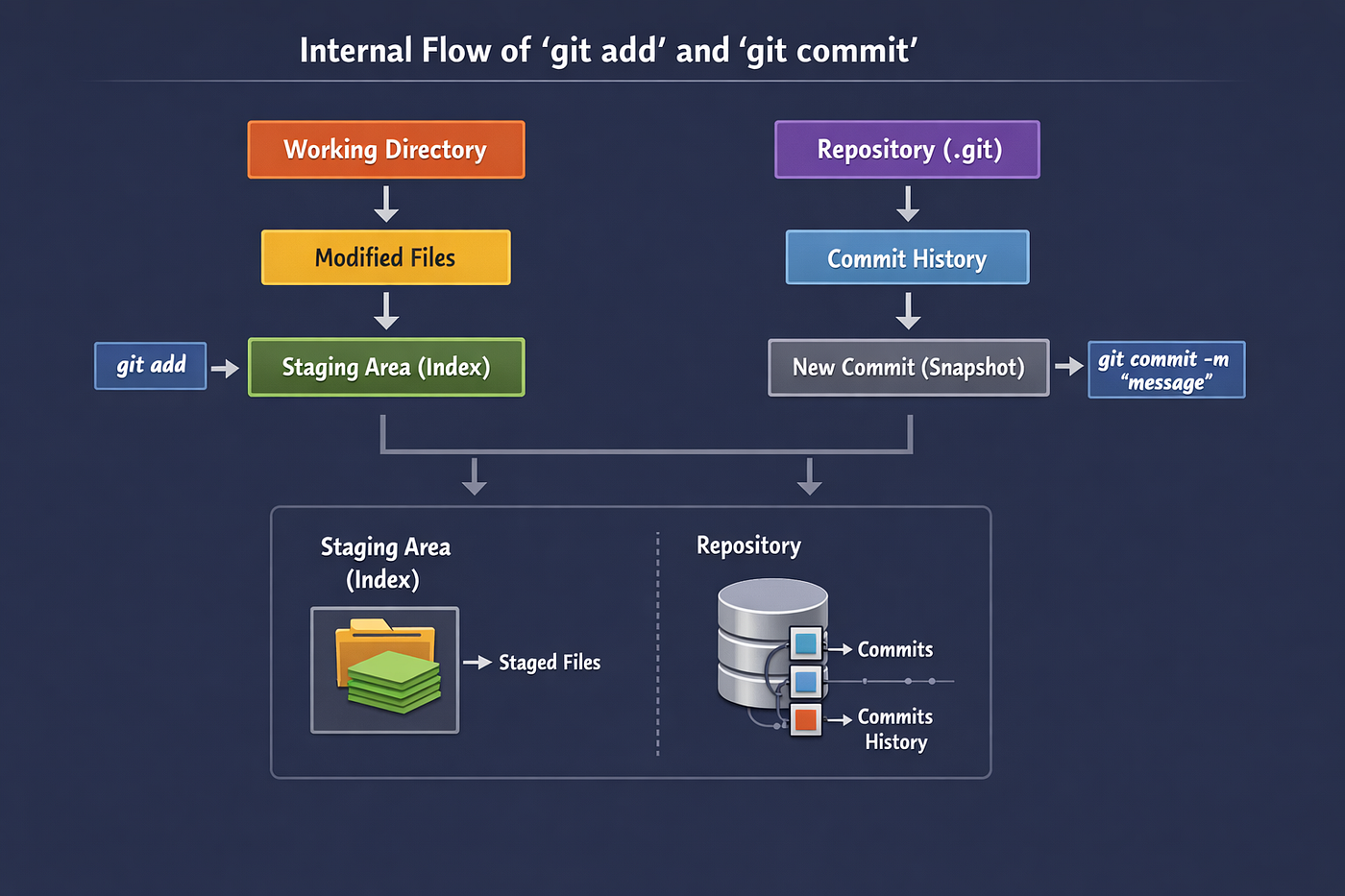

When you run:
git add file.txt
Git does the following:
Reads file content
Creates a blob object
Stores it in
.git/objectsUpdates the index (staging area)
👉 No commit yet
👉 Just preparation
What Happens Internally During git commit?


When you run:
git commit -m "Add file"
Git:
Reads the staging area (
index)Creates a tree object
Creates a commit object
Moves
HEADto the new commit
🎉 Your snapshot is now permanent.
How Git Uses Hashes (Integrity & Safety)
Every Git object is identified by a SHA-1 hash.
Example:
e83c5163316f89bfbde7d9ab23ca2e25604af290
This hash is based on:
Object content
Object type
Why This Matters
Change the content → hash changes
Corruption is instantly detectable
History cannot be silently altered
Git is self-verifying by design.
The Mental Model to Remember 🧠
Instead of memorizing commands, remember this:
Git stores objects
Objects are connected by hashes
Commits point to trees
Trees point to blobs
git addpreparesgit commitrecords
Once this clicks, Git feels logical — not magical.
Comments
Join the discussionNo comments yet. Be the first to comment.


